Sharing Results with Public Reports
You can share check results with people who don't have access to the Portal through a public report link, available from the RBL Monitoring ➡️ Check History page and from each host's history.

Click Share Report beside a check to open the share dialog. It has a short link to that check's public report, which you can copy, and lets you send the link with an optional note to your contacts (email, Slack, Discord, Microsoft Teams, Google Chat, Telegram, Pushover or AWS SNS) or to other email addresses, which receive the link without the note. Sending is for Owner, Admin and Developer members, up to 10 recipients a share.
The public report opens without the visitor logging in, so it can be shared with anyone you like. Its URL is unique to the check and isn't easily guessed, which gives a level of security without asking for credentials.
Public reports can be turned off at any time, from the Account ➡️ Settings page of the Portal. With them off, a shared link only opens for your team members, after they log in:
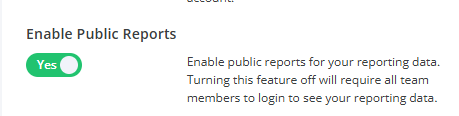
Uncheck the checkbox, and click Save.